Best Foldable Keyboard with Touchpad in 2026: Honest Review
Discover top portability and productivity in travel keyboards for 2026.
Discover top portability and productivity in travel keyboards for 2026.
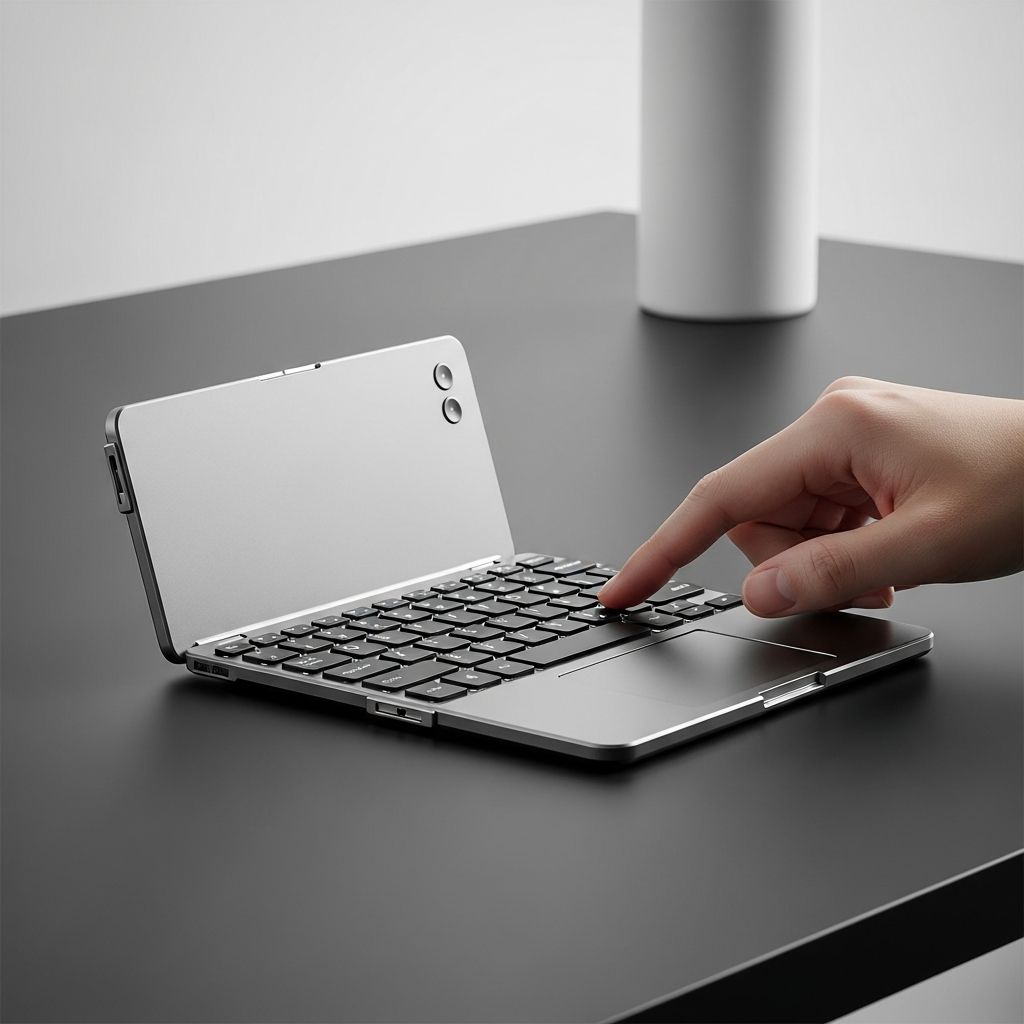
Travelers and remote workers often face the challenge of typing efficiently on small screens without sacrificing comfort or desk space. A foldable keyboard with touchpad solves this by offering full-size keys and mouse-free navigation in a compact form. This review dives deep into one of the best foldable keyboards with touchpad in 2026, perfect for laptops, tablets, and smartphones. Users seeking the best foldable keyboard for business trips or daily commutes will find its tri-fold design, Bluetooth connectivity, and integrated trackpad transformative for productivity.
Designed for those tired of cramped virtual keyboards or bulky peripherals, this keyboard stands out among the best travel keyboards in 2026. It combines a large trackpad with gesture support, eliminating the need for a separate mouse. Whether working from coffee shops, flights, or home offices, it delivers laptop-like typing on portable devices. Read on for specifications, usage tips, pros, cons, and why it earns its spot as a top choice.
About the Brand: ProtoArc
ProtoArc specializes in innovative peripherals that blend portability with professional-grade performance. Known for Bluetooth keyboards and mice tailored for mobile professionals, the brand emphasizes durable builds and long battery life. Customers choose ProtoArc for reliable connectivity across devices and thoughtful designs like foldable mechanisms that withstand daily travel. With a focus on multi-device support, ProtoArc products enhance workflows for hybrid workers, earning praise for value and functionality in compact tech.
ProtoArc XK01 TP: Product Specifications
The ProtoArc XK01 TP is a tri-fold Bluetooth keyboard engineered for seamless mobility and productivity. It features full-size keys and a large trackpad, making it suitable for extended use on various devices. Below are its core details and standout attributes.
Product Name: ProtoArc Foldable Keyboard with Touchpad, XK01 TP
Brand Name: ProtoArc
Price: Around $50-$70 (check current listings for exact pricing)
Main Features
- The multi-touch trackpad supports gestures like clicking, scrolling, and swiping, offering comfortable navigation without an external mouse for most tasks.
- Tri-fold design unfolds to 15.19 x 4.68 inches with 88 full-size QWERTY keys and 16.5mm keycaps, mimicking a laptop keyboard for accurate, fast typing.
- Bluetooth 5.1 enables stable connections up to three devices simultaneously, ideal for switching between laptop, tablet, and phone effortlessly.
- Built-in 300mAh rechargeable battery provides up to 120 days of standby time, with auto-sleep after 60 minutes to conserve power during travel.
- Includes a phone stand and PU leather carrying bag, enhancing usability for video calls and secure portability in bags or pockets.
Additional Features
- Type-C charging port supports quick recharges, fully powering the keyboard without needing frequent plugs during trips.
- Full shortcut key row boosts efficiency for media control, volume, and app switching on Windows, Android, and compatible iOS setups.
- Folds to compact 8.46 x 4.68 x 0.78 inches and weighs just 10.4 ounces, fitting easily into handbags or backpacks for on-the-go use.
- Power on by unfolding and off by folding, with any key press waking it from sleep mode for instant readiness.
ProtoArc XK01 TP: Reasons to Buy
- Exceptional Portability for Frequent Travelers
This keyboard folds into a slim profile that slips into any bag, weighing only 10.4 ounces for hassle-free carrying. Unlike rigid keyboards, its tri-fold hinge allows it to contour to small spaces without bulk. Travelers appreciate the included leather pouch, protecting it during flights or commutes. For remote workers juggling devices, this compactness means productivity anywhere, from airports to cafes, without compromising typing quality. It’s a game-changer for those prioritizing mobility in 2026’s fast-paced world.
- Full-Size Typing Comfort with Integrated Trackpad
The 88-key layout with tall keycaps delivers tactile feedback akin to desktop models, reducing errors during long sessions. The large trackpad handles multi-finger gestures smoothly, enabling scrolling and zooming without a mouse. This setup is perfect for content creators editing on tablets or analysts reviewing spreadsheets on phones. Users report fewer fatigue issues compared to screen keyboards, making it one of the best foldable keyboards with touchpad for extended professional use.
- Seamless Multi-Device Bluetooth Pairing
Three Bluetooth 5.1 channels connect effortlessly to laptops, PCs, tablets, and smartphones running Android, Windows, or iOS (with AssistiveTouch for iPads). Switching devices takes seconds via dedicated keys, streamlining hybrid workflows. No USB dongles needed—just charge via Type-C. This versatility suits digital nomads managing multiple gadgets, ensuring consistent performance across ecosystems without reconnection hassles.
- Long-Lasting Battery and Smart Power Management
With 120 days standby and hours of active use per charge, it outlasts many competitors, ideal for week-long trips. Auto-sleep and fold-to-power-off features maximize efficiency. Recharging is straightforward, taking under two hours for full capacity. Professionals value this reliability, avoiding dead batteries mid-presentation or during remote meetings.
- Versatile Accessories Enhance Everyday Utility
The phone stand props devices for hands-free viewing, great for recipes, calls, or notes while typing. Shortcut keys provide quick access to functions, speeding up tasks. Though best on flat surfaces due to non-locking hinges, it adapts well to desks or laps. These extras position it as a complete travel companion for business and personal use.
ProtoArc XK01 TP: Directions for Use
- Unfold the Keyboard
Start by fully unfolding the keyboard on a flat, stable surface to activate power automatically. This ensures the tri-fold sections align properly for stable typing. Avoid uneven surfaces to prevent hinge strain.
- Charge if Needed
Connect the Type-C cable to a power source if the battery indicator shows low. Allow 1-2 hours for a full charge, during which the keyboard remains usable. Disconnect once the light signals completion.
- Enable Bluetooth on Your Device
Go to your device’s Bluetooth settings and turn it on. Ensure it’s discoverable. The keyboard enters pairing mode upon first unfold.
- Pair with Channel 1, 2, or 3
Press the pairing button for your chosen channel (labeled 1-3). Select the keyboard from your device’s list when it appears as ‘XK01 TP’. Confirm the connection light.
- Test Typing and Trackpad
Type a few sentences to verify key responsiveness. Swipe, scroll, and click on the trackpad to confirm gestures work. Adjust sensitivity in device settings if needed.
- Switch Devices or Use Stand
Press the channel switch key to toggle devices. Prop your phone on the stand for dual-screen setups. Refold to power off when done.
ProtoArc XK01 TP: Pros & Cons
Pros
- Compact foldable design fits anywhere, making it highly portable for daily travel without adding bulk.
- Large trackpad with gesture support replaces a mouse effectively for most navigation needs.
- Full-size keys offer comfortable, accurate typing over long periods, reducing hand strain.
- Multi-device Bluetooth connectivity simplifies switching between phone, tablet, and laptop.
- Impressive 120-day standby battery life suits extended trips with minimal recharging.
- Included phone stand and carrying bag add practical value for on-the-go setups.
- Quick wake-up and power management enhance usability in dynamic environments.
Cons
- Hinge does not lock when folded, so it requires a flat surface for optimal stability.
- iPad users must enable AssistiveTouch for full trackpad gesture compatibility.
- Larger unfolded size may not suit ultra-tiny bags compared to slimmer mini models.
- Some app-specific gestures may not work due to software limitations on certain devices.
ProtoArc XK01 TP: Is It Worth Buying?
This keyboard excels for users needing a reliable, portable input solution with mouse functionality. Its full-size layout and trackpad make it ideal for professionals, students, and travelers prioritizing productivity. Best for those with multiple Bluetooth devices who value battery life and ease. At its price point, it offers superior value over bulkier alternatives, especially for 2026’s remote work trends. If compactness and typing comfort matter most, it’s a smart investment.
ProtoArc XK01 TP: Final Thoughts
The ProtoArc XK01 TP redefines portable input with its thoughtful tri-fold design, expansive trackpad, and robust battery. Travelers benefit from its slim fold and protective pouch, while the full QWERTY keys ensure desktop-level typing on the move. Multi-device pairing shines for hybrid users, though iPad tweaks add a minor step. Pros like gesture support and shortcuts far outweigh cons such as non-locking hinges, making it reliable for flights, cafes, or home offices.
In scenarios like business trips or content creation, it boosts efficiency without extra gear. The phone stand enables versatile setups, perfect for video calls or multitasking. Compared to screen keyboards, it slashes errors and fatigue, proving essential for extended sessions. For 2026 buyers seeking the best foldable keyboard with touchpad, this model delivers consistent performance and durability. Its balance of features positions it as a top pick for smart, mobile professionals ready to elevate their workflow.
Frequently Asked Questions
Is the ProtoArc XK01 TP compatible with iPads?
Yes, it connects via Bluetooth to iPads, but enable AssistiveTouch in settings for optimal trackpad use. Gestures like scrolling work smoothly afterward. Some app limitations may affect advanced functions.
Does the trackpad support multi-finger gestures?
The large trackpad handles clicking, scrolling, swiping, and pinching effectively across supported devices. Adjust scroll direction in system preferences for personalization. It’s responsive for mouse-free operation.
How long does the battery last on a single charge?
Standby reaches 120 days, with active use lasting weeks depending on intensity. Auto-sleep after inactivity preserves power. Type-C recharges it quickly for uninterrupted sessions.
Can it connect to multiple devices at once?
Three Bluetooth channels allow pairing with laptop, tablet, and phone simultaneously. Switch via dedicated keys without re-pairing. This suits multi-device users perfectly.
Is the keyboard suitable for lap use during travel?
Best on flat surfaces due to flexible hinges, but it works adequately on laps for short sessions. The foldable design maintains stability when placed properly. Use the carrying bag for protection.
What materials is the ProtoArc XK01 TP made of?
Primarily Acrylonitrile Butadiene Styrene for durability and lightness. Keys feature ABS construction for tactile feedback. The overall build withstands travel rigors effectively.
Similar Articles







Read full bio of medha deb