
Unusual Noises or Vibrations in Ice Cream Makers: Causes, Risks, and Safe Shutdown Guidelines
Learn what different noises and vibrations mean, when to troubleshoot, and when to shut your ice cream maker down for safety.
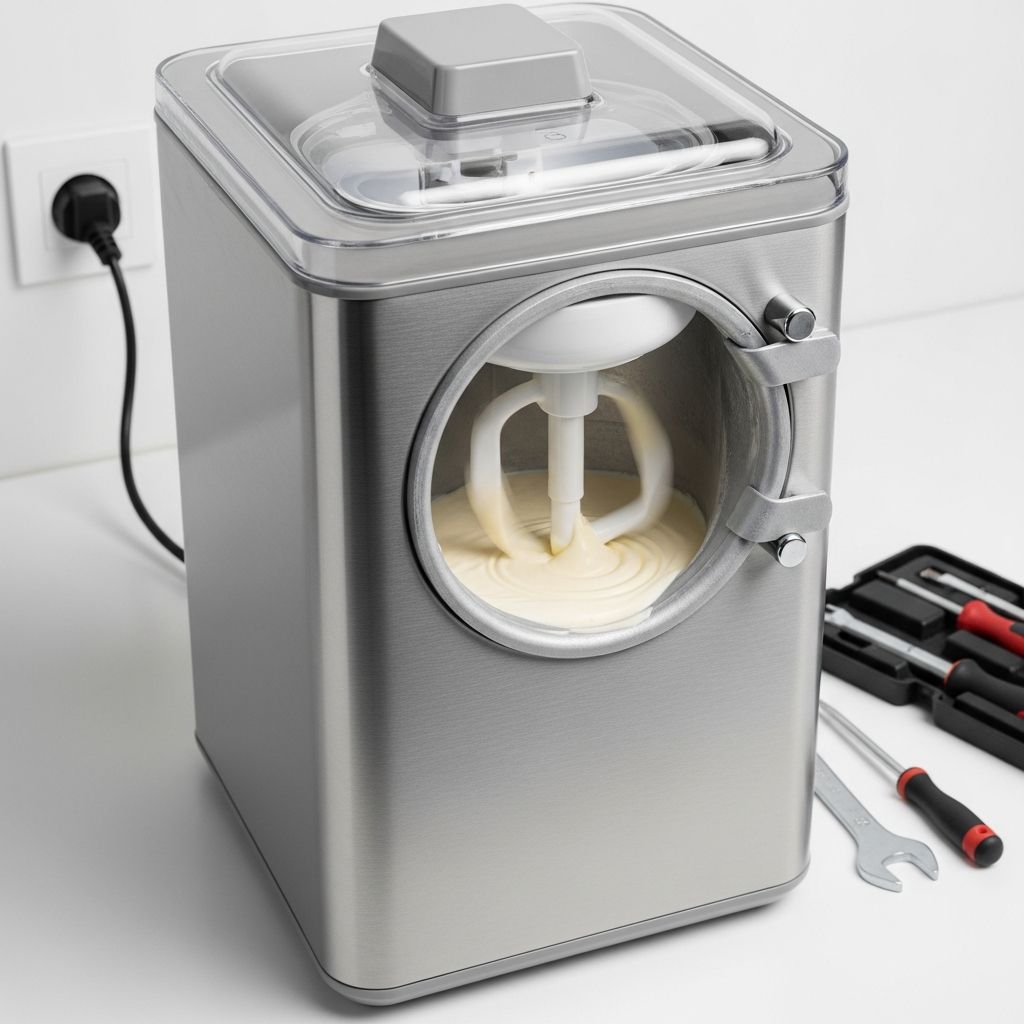
Unusual Noises or Vibrations in Ice Cream Makers: Why They Happen and When to Stop
Ice cream makers and soft-serve machines are mechanical appliances with motors, belts, gears, and refrigeration components. Some sound and vibration are normal, but sudden, loud, or unusual noises often signal developing problems that can affect performance, product safety, and even user safety. Understanding what those noises mean helps you decide whether a quick adjustment is enough or whether you should shut the machine down and call a technician.
Table of Contents
- Normal vs. Abnormal Sounds in Ice Cream Makers
- Common Causes of Unusual Noises or Vibrations
- Step-by-Step Diagnostic Checklist
- When You Should Stop Using the Machine Immediately
- Quick Troubleshooting and Symptom Table
- Prevention: Installation, Maintenance, and Best Practices
- Differences Between Home and Commercial Soft-Serve Machines
- Frequently Asked Questions (FAQs)
- Conclusion
Normal vs. Abnormal Sounds in Ice Cream Makers
Before worrying about strange noises, it helps to know what is normal. All ice cream makers generate some level of sound as the motor turns the dasher or beater, and as the compressor cycles on and off in self-refrigerated models.
Typical Normal Sounds
- Steady humming from the motor or compressor while the mix is freezing.
- Soft whirring from a fan near the condenser or ventilation openings.
- Occasional clicks when the compressor starts or stops.
- Mild vibration transmitted to the countertop, but not enough to cause the machine to move.
Examples of Abnormal Noises
Abnormal sounds are usually louder, irregular, or new compared to the machine’s usual behavior.
- Grinding or metal-on-metal scraping (often linked to worn bearings, misaligned parts, or debris in moving components).
- Rattling or clanking, suggesting loose screws, panels, or internal components.
- Knocking or banging, sometimes caused by bent shafts, loose pulleys, or parts colliding internally.
- High-pitched squealing, often associated with belts that are too tight, too loose, or worn.
- Excessive vibration that causes the machine to shake, walk, or buzz loudly.
Persistent or sudden changes in noise are early warning signs of internal issues and should not be ignored.
Common Causes of Unusual Noises or Vibrations
Unusual noise in an ice cream maker usually comes from mechanical misalignment, wear, improper installation, or refrigerant system issues. Many causes are straightforward to check; others require a qualified technician.
Poor Leveling and Unstable Placement
If the machine is not level or is placed on an unstable surface, vibration from normal operation can be amplified.
- Machine installed on an uneven countertop or flexible table.
- Feet not adjusted, or missing rubber pads.
- Machine touching a wall or another appliance, causing resonance and rattling.
Correct leveling and ensuring the unit is on a firm, flat surface often reduces noise dramatically.
Loose Screws, Panels, or Internal Components
Normal vibration over time can loosen screws securing the motor, compressor, condenser, or outer panels.
- Rattling or buzzing from a particular corner or side of the cabinet.
- Noise changes when you gently press on a panel (never near moving or live components).
- Fasteners around the compressor, fan housing, or motor mount are no longer tight.
Worn or Misaligned Bearings and Shafts
Bearings support rotating parts like the motor shaft or beater shaft. As they wear, they can become noisy and unstable.
- Continuous grinding, rumbling, or droning that gets louder with speed.
- Excess heat around the motor or drive area.
- Visible wobble in the shaft or pulley.
Running a machine with failing bearings can lead to motor overload, damage to the drive system, and seized parts.
Improperly Installed Beater, Dasher, or Auger
After cleaning, the beater, dasher, or auger must be reassembled in the correct orientation. Incorrect installation is a common cause of abnormal noise in soft-serve machines.
- Beater shaft installed backwards or not fully seated, causing collisions with the freezing cylinder.
- Dasher scraping the cylinder wall because a spacer or bushing is missing.
- Auger not engaging properly with the drive, producing knocking or clunking.
Belt and Pulley Problems
Belt-driven commercial machines rely on correct belt tension and pulley alignment. When they are off, noise and vibration follow.
- Belt too loose: slapping sounds, squeals on start-up, intermittent churning.
- Belt too tight: loud humming, excessive motor strain, high-pitched squealing.
- Misaligned pulley: side-to-side belt movement, rhythmic thumping.
Compressor, Condenser, and Fan Issues
Refrigerated ice cream makers contain a compressor, condenser, and often a fan. Noise from this area may indicate mounting or cooling problems.
- Compressor vibration due to loose mounting screws.
- Condenser or fan panel rattling against the casing.
- Fan blades striking the housing or foreign objects caught in the fan.
If the compressor runs continuously and is noisy, it may also be overloaded or facing refrigerant issues, which should be evaluated by a technician.
Debris or Blockage in Moving Parts
Solidified mix, ice crystals, or foreign objects can get into the freezing cylinder or drive components, creating grinding or knocking noises.
- Grinding or clanking as the beater passes one particular point each rotation.
- Uneven churning or sudden stops of the dasher or auger.
- Overload or motor error codes on some soft-serve machines.
Motor Overload and Electrical Problems
When mechanical resistance increases because of thick mix, blockages, or worn parts, the motor may run harder than normal.
- Strained, low-pitched humming or buzzing from the motor.
- Sudden shutdown, tripped breaker, or error codes indicating motor overload.
- In extreme cases, smoke or burning smells, which are serious warning signs.
Step-by-Step Diagnostic Checklist
When your ice cream maker suddenly gets louder or starts vibrating, follow a structured, safety-first approach.
1. Stop and Observe
- Note the type of noise (grinding, rattling, squealing, knocking).
- Identify the location of the sound (top, side, near motor, near compressor).
- Check any error codes or warning lights on digital soft-serve machines.
2. Power Down Safely
- Turn off the machine using the power switch.
- Unplug the machine before opening any covers or touching internal parts.
- Allow moving parts to come to a complete stop.
3. Check Level and Placement
- Use a spirit level or a smartphone leveling tool to confirm the machine is perfectly level front-to-back and side-to-side.
- Adjust feet or relocate the machine to a more stable, solid surface.
- Ensure it is not in contact with walls or adjacent equipment that can amplify vibration.
4. Inspect for Loose External Parts
- Gently check screws and fasteners on exterior panels and access doors.
- Tighten any obviously loose hardware using the appropriate tool.
- Look for vibrating drip trays, covers, or hoppers that can rattle.
5. Verify Beater, Dasher, or Auger Installation
- Remove the beater or dasher according to the manual.
- Inspect for wear, cracks, or bent parts, and for hardened mix on surfaces.
- Reinstall carefully, ensuring any marks or arrows line up as specified.
- Confirm that the drive engages fully without forcing.
6. Examine Belts, Pulleys, and Fans (If Accessible)
- With the machine unplugged, check belt tension by gentle hand pressure; it should deflect slightly but not sag significantly.
- Look for frayed belts or wobbling pulleys and for fan blades contacting their housings.
- Do not reach into tight spaces or near sharp fins; follow manufacturer guidance.
7. Test Run Briefly
- Plug in and run the machine for a short period while observing.
- If noise is reduced and no other warning signs appear, you may continue cautiously.
- If noise is unchanged, worsens, or is accompanied by error codes, leaks, or smells, stop and seek professional service.
When You Should Stop Using the Machine Immediately
Certain noise and vibration symptoms indicate a risk of permanent damage or safety hazards. In these cases, switch off the ice cream maker and do not restart it until inspected by a qualified technician.
Critical Warning Signs
- Smoke or burning smell from the motor, wiring, or compressor.
- Loud grinding or banging that begins suddenly, suggesting internal collision or catastrophic bearing failure.
- Rapidly increasing vibration causing the machine to move, walk, or threaten to fall from the counter.
- Refrigerant or oily fluid leaks near the compressor or coils.
- Motor overload error codes or repeated tripping of breakers.
- Fan blades hitting the housing with persistent scraping noises even after basic adjustments.
Why Immediate Shutdown Is Important
- Prevents further mechanical damage to the motor, bearings, shaft, or compressor.
- Reduces risk of electrical hazards and overheating.
- Protects the food product from contamination by metal shavings, lubricants, or refrigerant.
- Helps maintain the validity of any warranty, as operating despite serious warnings may void coverage.
Quick Troubleshooting and Symptom Table
The following table summarizes common symptoms, likely causes, and initial actions to take.
| Symptom | Likely Cause | Initial Action | Safe to Continue? |
|---|---|---|---|
| Constant rattling, machine walks on counter | Machine not level, loose feet, touching wall or other appliance | Level machine, move away from walls, tighten feet and panels | Yes, if noise stops and no other abnormalities remain |
| Grinding or metal scraping | Worn bearings, misaligned beater, debris in cylinder | Stop, disassemble food-contact parts, clean and inspect; call technician if persists | No, if scraping continues or parts show visible damage |
| High-pitched squeal on start-up | Loose or tight drive belt, dry bearings, fan contact | Check belt tension and fan clearance with power off | Only if squeal disappears after proper adjustment |
| Deep hum plus overheating and smell | Motor overload, mechanical binding, electrical fault | Shut down immediately, allow to cool, contact service | No, not until inspected professionally |
| Knocking during each rotation | Auger or dasher misaligned, bent shaft, foreign object in cylinder | Power off, remove and inspect beater and shaft, clear obstructions | Only if knocking fully resolved and components are intact |
Prevention: Installation, Maintenance, and Best Practices
Many noise and vibration problems are preventable with correct setup and routine care.
Proper Installation and Leveling
- Place the machine on a solid, flat surface that does not flex under load.
- Use adjustable feet or shims to ensure the unit is level in all directions.
- Maintain adequate clearance around the sides and rear for ventilation and to avoid contact that can transmit vibration.
Routine Cleaning and Correct Reassembly
- Follow the manufacturer’s daily and weekly cleaning schedule for the freezing cylinder, beater, hopper, and gaskets.
- Inspect parts during cleaning for wear, cracks, or deformation, replacing as needed.
- Reassemble carefully, ensuring the beater shaft orientation and seals are correct to prevent internal collisions.
Lubrication and Seal Maintenance
Some soft-serve machines require lubrication of drive shaft seals and other moving parts to reduce friction and noise.
- Use only manufacturer-approved food-grade lubricants on specified parts.
- Ensure drive shaft gaskets and seals are properly seated and not worn, as poor lubrication can lead to unusual sounds and mix leakage.
Scheduled Professional Service
- Plan periodic inspections of bearings, belts, motor mounts, and compressor, especially for commercial units.
- Address minor noises early; technicians can replace worn bearings or belts before they fail catastrophically.
- Do not attempt refrigerant repairs yourself; leave sealed-system work to certified professionals.
Differences Between Home and Commercial Soft-Serve Machines
Home countertop ice cream makers and commercial soft-serve machines share similar principles but differ in complexity and noise profiles.
Home Ice Cream Makers
- Typically simpler, with a small motor and either a freezer bowl or a built-in compressor.
- Common noise issues: beater scraping frozen mix, unstable placement, or worn gears.
- Most user-serviceable tasks involve cleaning, reassembly, and ensuring level placement.
Commercial Soft-Serve Machines
- Include multiple motors, drive belts, gear assemblies, and a robust refrigeration system.
- Noise problems often involve belts, bearings, auger alignment, and compressor mounts.
- Offer error codes for overheating, motor overload, and sensor faults that may accompany unusual noise.
- Require regular professional maintenance in addition to daily cleaning.
Frequently Asked Questions (FAQs)
Q1: My ice cream maker got louder over time, but still works. Is that normal?
A gradual increase in noise is common as bearings, belts, and mounts wear. However, it is not something to ignore. Inspect for loose panels, check leveling, and monitor for grinding or knocking. If in doubt, have a technician check bearings and drive components to prevent a sudden failure.
Q2: The machine rattles only when the compressor runs. What does that mean?
Rattling that coincides with compressor operation often points to loose compressor mounting screws, a vibrating condenser, or a fan contacting its housing. Tightening fasteners and ensuring fan blades are clear usually resolves this, but persistent noise warrants professional service.
Q3: Can unusual noise affect the quality or safety of the ice cream?
Yes. Noise from internal scraping, broken parts, or severe vibration can lead to metal or plastic fragments entering the product, or to inconsistent freezing because the dasher or auger is not rotating correctly. If you suspect internal damage, discard the current batch and do not serve it.
Q4: The machine shows a motor overload error and makes a strained sound. What should I do?
Motor overload messages often appear when rotation is obstructed or mechanical resistance is excessive. Stop the machine, unplug it, and check for thick, over-frozen product, blockages, or misaligned beaters. If the error recurs after cleaning and reassembly, contact a technician and avoid further use.
Q5: How often should I have a commercial soft-serve machine inspected to avoid noise issues?
Many operators schedule professional service at least annually, and more frequently in high-volume environments. Regular inspection of bearings, belts, motor mounts, and refrigeration components helps prevent the noisy, disruptive failures that usually appear after prolonged wear.
Conclusion
Unusual noises and vibrations in ice cream makers are not just annoyances; they are valuable early indicators of mechanical wear, misalignment, or installation problems. By paying attention to what your machine sounds like during normal operation and recognizing changes, you can intervene before minor issues escalate into expensive repairs or safety concerns.
In practice, a thoughtful response means distinguishing between harmless rattles from loose panels or imperfect leveling, and serious warning signs such as grinding, banging, burning smells, or motor overload errors. Simple checks—leveling, tightening accessible screws, confirming correct beater installation, and maintaining clean, lubricated components—address many problems. When symptoms point to internal damage, refrigerant leaks, or electrical risks, the safest decision is to shut the machine down and rely on professional service.
Managing noise and vibration proactively protects the machine, preserves product quality, and safeguards the people using and consuming what it produces. A quiet, smoothly running ice cream maker is not only more pleasant to be around; it is also a strong sign that the equipment is installed correctly, well maintained, and operating as intended.
Similar Articles






Read full bio of Sneha Tete