
Troubleshooting Ice Cream Maker Overheating and Auto Shut-Off While Churning
Practical ways to diagnose, fix, and prevent ice cream maker overheating and mid-cycle automatic shut-off during churning.
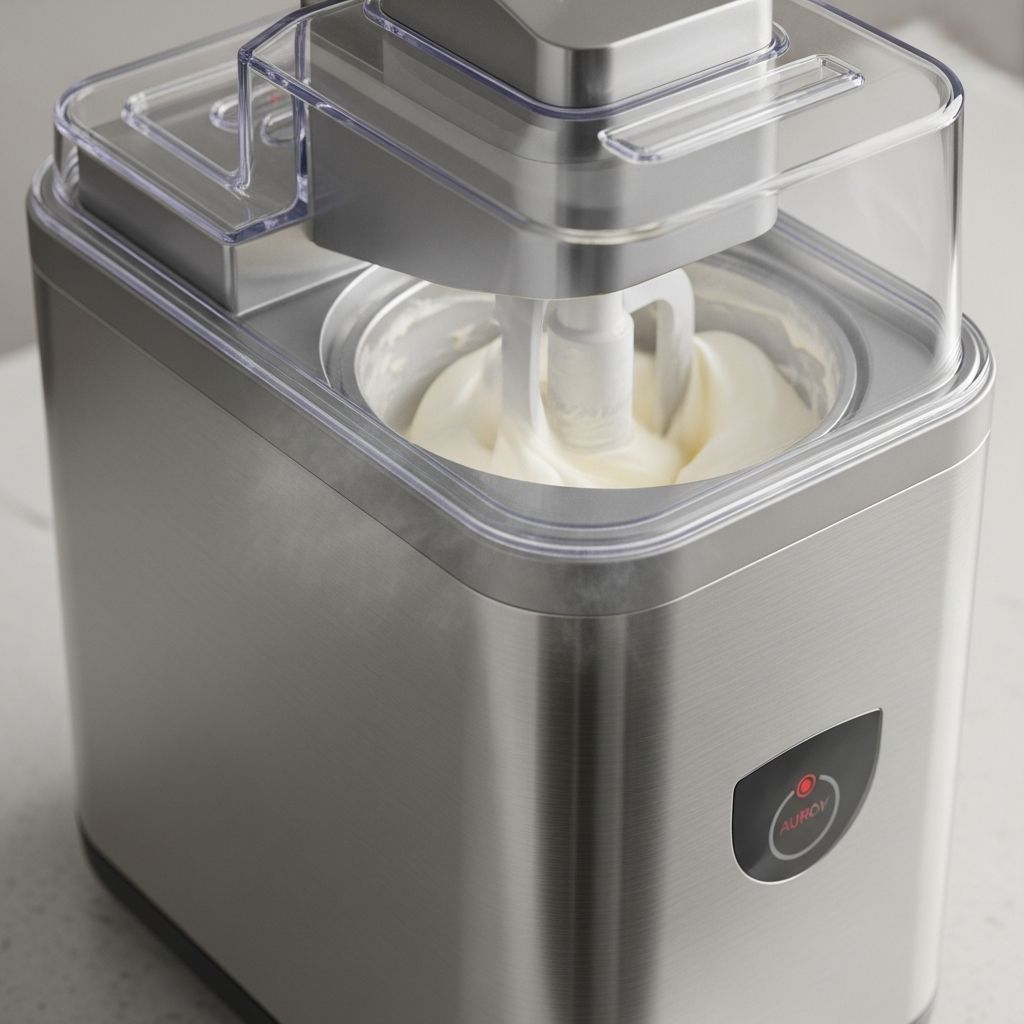
Troubleshooting Ice Cream Maker Overheating and Automatic Shut-Off During Churning
When an ice cream maker overheats and shuts off in the middle of churning, it is usually a protective response to stress on the motor, compressor, or electrical components. Many consumer and commercial machines include overload protection that stops operation when temperatures or electrical load exceed safe limits, allowing the unit to cool before restarting.
This guide explains the most common causes of overheating and automatic shut-off, how to systematically diagnose the problem, and what you can safely do yourself versus when to call a technician.
Table of Contents
- Key Symptoms of Overheating and Auto Shut-Off
- Safety Precautions Before Troubleshooting
- How Ice Cream Makers Cool and Protect Themselves
- Common Causes of Overheating During Churning
- Step-by-Step Troubleshooting Guide
- Preventing Overheating and Shut-Off
- When to Call a Technician
- Frequently Asked Questions (FAQs)
- Conclusion
Key Symptoms of Overheating and Auto Shut-Off
Recognizing the pattern of symptoms can help you distinguish overheating from other problems like power loss or control board failure.
- Machine runs normally at first but stops partway through churning.
- Housing feels unusually hot to the touch around the motor or compressor area.
- Warning lights, error codes (such as overheating or motor overload), or alarms appear on the display.
- Automatic restart after a cooling period (e.g., 10–20 minutes) without you resetting anything, indicating a resetting overload protector.
- Frequent shut-off during heavy use or warm weather, especially in commercial soft serve machines.
If the unit shuts off and does not restart after cooling, you may be dealing with a blown fuse, damaged overload protector, or failed component rather than a temporary overheat.
Safety Precautions Before Troubleshooting
Before opening panels or accessing internal parts, basic safety practices help avoid electric shock and further damage.
- Unplug the machine from the outlet before any inspection or cleaning beyond wiping external surfaces.
- Allow the unit to cool for at least 15–20 minutes if it has just overheated.
- Do not bypass or disable overload protectors, thermostats, or safety switches.
- Avoid touching compressor lines or motor bodies immediately after use; they may be very hot.
- For refrigerant, compressor, or wiring issues, involve a qualified technician or authorized service.
How Ice Cream Makers Cool and Protect Themselves
Understanding the basic design helps explain why overheating occurs.
Cooling System Basics
Most powered ice cream makers and soft serve machines use one of the following cooling setups:
- Compressor-based machines: Built-in refrigeration system with compressor, condenser coil, and refrigerant to directly freeze the mix.
- Freezer-bowl machines: A pre-frozen bowl containing refrigerant gel; the motor only turns the dasher, and the freezer does the cooling.
- Salt-and-ice machines: Older style using ice and rock salt around an inner container; motor drives the dasher, and ice absorbs the heat.
Compressor units are particularly sensitive to dirty condensers, restricted airflow, and ambient temperature, which can all cause overheating and poor freezing performance.
Overload Protection and Automatic Shut-Off
To prevent permanent damage, many machines include:
- Motor overload protectors that trip when torque (load) or temperature is too high, often resetting after 15–20 minutes of cooling.
- Compressor overloads and high-pressure switches that shut the compressor down if it overheats or pressures rise excessively.
- Temperature sensors and error codes indicating overheating (e.g., E1 for high condenser or cabinet temperature) or motor overload.
- Fuses and breakers that open the circuit if current draw is unsafe.
Common Causes of Overheating During Churning
Overheating rarely comes from one single issue; it is often a combination of mix load, environment, and maintenance.
| Cause | What Happens | Typical Signs |
|---|---|---|
| Blocked airflow or dirty condenser | Heat cannot escape, compressor and motor run hotter than designed. | Hot cabinet, poor freezing, error code for overheating. |
| Jammed or overloaded dasher/paddle | Motor works harder to turn, drawing more current and generating excess heat. | Straining noise, stall, frequent motor overload trips. |
| Too thick or overfilled mix | Excess resistance while freezing causes high torque and heating. | Very stiff product, machine stops near end of batch, hard ice cream. |
| Continuous or heavy-duty operation | Components do not have time to cool between cycles. | Shut-off during rush periods, repeated resets needed. |
| Dirty internal parts or poor lubrication | Friction in bearings, drive parts, or freezer barrel increases. | Rough running, squeaks or grinding, higher temperatures. |
| Electrical or refrigerant issues | Low voltage, weak compressor, or low refrigerant leads to long run times and heat build-up. | Slow freezing, machine runs continuously, still soft mix. |
Poor Ventilation and High Ambient Temperature
Most soft serve and compressor-driven machines need cool, clean air passing over the condenser coil to expel heat. If the machine is against a wall, inside a cabinet, or in a hot room over about 100°F, it may overheat and trip its protection.
Dirty condenser fins coated with dust or grease also insulate the coil, making heat transfer inefficient and forcing the compressor to work harder.
Mechanical Load on the Motor
A jammed or partially blocked dasher, thickening mix, or incorrect installation of the front door assembly can overload the drive motor.
- Paddles or blades can wear, bend, or collect hardened residue, creating drag.
- Incorrectly installed front doors or barrels can misalign the auger, increasing friction.
- Hard or over-frozen product in the cylinder can cause the auger to kick out or not run.
Extended Run Time and Misuse
Running the machine continuously, pausing mid-cycle, or restarting before the unit has cooled can stress the system.
- Pausing churning for too long can allow ice cream to partially melt and then refreeze, increasing motor load when restarted.
- Continuous heavy dispensing in commercial environments during peak hours can lead to frequent overheating shutdowns if capacity is insufficient.
Internal Faults
Some overheating and shutdown events are symptoms of deeper problems.
- Dirty or failing condenser fan that cannot move enough air.
- Weak compressor that runs longer and hotter to achieve target temperature.
- Low refrigerant charge, often requiring professional diagnosis and refill.
- Damaged overload protector, thermostat, or wiring that trips prematurely or fails to reset.
Step-by-Step Troubleshooting Guide
The following workflow is designed for both home and small commercial users. Steps that involve only inspection and cleaning are generally user-safe; steps involving sealed refrigeration or internal wiring should be left to professionals.
Step 1: Confirm the Problem Pattern
- Note how long the machine runs before shutting off.
- Observe whether it restarts automatically after cooling, or requires manual reset.
- Check for any error codes on the display, especially for overheating, sensor errors, or motor overload.
- Compare performance with previous batches. Has freezing time increased significantly?
Step 2: Check Environment and Airflow
- Ensure at least several inches of clearance around air inlets and outlets. Do not place the machine flush against walls or inside closed cabinets.
- Move the machine to a cooler area if room air temperature is high or if it is receiving direct sunlight or near ovens or fryers.
- Listen for the condenser fan while the compressor is running; absence of fan noise may indicate a failure requiring service.
Step 3: Clean Condenser and External Surfaces
- Unplug the unit.
- Access the condenser grill or coil (typically on the side or back) and remove dust with a soft brush or vacuum, taking care not to bend fins.
- Wipe external vents and louvers to ensure open airflow.
- In greasy kitchen environments, clean the condenser more frequently, sometimes monthly, to prevent build-up.
Step 4: Inspect the Dasher, Barrel, and Mix Load
- Disassemble the freezing cylinder or bowl according to the manual.
- Check the dasher or auger blades for wear, damage, or heavy residue. Replace worn blades as recommended (often every 12–18 months in commercial use).
- Clean all contact surfaces thoroughly to remove crystallized sugar, dried mix, or fat deposits that increase friction.
- Verify that you are not overfilling the cylinder or bowl. Many machines require leaving 1/3 to 1/2 of the volume free for expansion as the mix freezes.
- Ensure the front door or lid is correctly installed and secured; misalignment can cause extra drag on the auger.
Step 5: Evaluate the Mix and Operating Method
- Use a properly formulated ice cream base or soft serve mix made for your machine. Very high fat or sugar content can alter freezing behavior and motor load.
- Pre-chill the mix in the refrigerator before pouring it into the machine. Warmer mix extends run time and can increase heat build-up.
- Avoid stopping and starting the machine repeatedly in a short time. Let the full cycle complete whenever possible.
- Do not run the machine continuously beyond its rated duty cycle; heavy commercial demands may require a higher-capacity model.
Step 6: Check Power Supply Basics
- Confirm the unit is connected to a properly rated outlet with correct voltage and amperage; low voltage can cause the motor to overheat.
- Inspect the power cord for visible damage or overheating marks.
- If a circuit breaker has tripped or a fuse has blown, investigate for overload or short circuits before resetting.
Step 7: Observe Cooling Performance
- After cleaning and reassembling, run a test batch with a small amount of pre-chilled mix.
- Note the time required for the product to reach serving consistency. Freezing that takes much longer than usual can indicate low refrigerant, weak compressor, or dirty heat exchanger.
- If the compressor runs continuously yet the mix remains soft, professional refrigeration service is recommended.
Step 8: Recognize When It Is a Service Issue
If the machine still overheats and shuts off after cleaning, adjusting load, and ensuring proper ventilation, one of the following may be at fault:
- Defective motor overload protector or drive motor that trips even under normal load.
- Damaged or non-functional condenser fan.
- Low refrigerant charge or restriction in the refrigeration circuit.
- Compressor failure or high internal pressures.
- Faulty temperature sensor or control board issuing improper shutdown commands.
These issues generally require an authorized technician to diagnose with proper tools and to carry out repairs safely.
Preventing Overheating and Shut-Off
Regular maintenance and correct operation are the most effective ways to prevent overheating.
Routine Maintenance Checklist
- Clean the condenser coil on a regular schedule; for many installations, at least every three months, but monthly in dusty or greasy environments.
- Inspect and clean dispensing valves, barrels, and paddles daily in commercial machines to avoid clogs and residue build-up.
- Replace mixing blades and worn seals according to manufacturer recommendations.
- Check mix levels regularly; do not allow the hopper to run too low, as this can affect temperature and load.
- Schedule professional servicing at intervals appropriate to usage volume (e.g., monthly for busy venues, quarterly for lower volume).
Good Operating Practices
- Place the machine in a well-ventilated area, away from heat sources and with sufficient clearance.
- Use mix formulations suited to your specific type of machine.
- Allow time between heavy use cycles for the machine to cool if it is not rated for continuous duty.
- Avoid pausing mid-cycle unless the manufacturer explicitly allows it.
- Monitor for gradual performance changes; slower freezing or hotter cabinet surfaces may indicate maintenance is due.
When to Call a Technician
Involving a professional early can prevent small overheating issues from becoming major failures.
- Persistent overheating or automatic shut-off after cleaning and improving ventilation.
- Visible damage to electrical components, wiring, or the power cord.
- Error codes indicating sensor failure, motor overload, or compressor problems that do not clear after rest.
- Suspected refrigerant issues, such as very long freezing times and a continuously running compressor.
- Tripped overload protector that does not reset, or frequent tripping even under light load.
Frequently Asked Questions (FAQs)
Why does my ice cream maker stop near the end of churning?
As ice cream thickens, the motor has to work harder. If the mix is very stiff, overfilled, or the blades are worn or dirty, the motor load increases and can trip the overload protector, stopping the machine until it cools.
Is it safe to restart the machine immediately after it shuts off from overheating?
No. Most overload protectors are designed to reset only after the motor or compressor cools. Attempting to force an immediate restart can lead to further overheating or damage. Allow at least 15–20 minutes of cooling before restarting.
How often should I clean the condenser coil on a soft serve machine?
For many installations, cleaning at least every three months is recommended, but in greasy or dusty environments such as busy kitchens, monthly cleaning may be necessary to prevent overheating and poor freezing performance.
Can low refrigerant cause my machine to overheat and shut off?
Yes. Low refrigerant often causes poor freezing efficiency, so the compressor runs longer and hotter, which can trigger overload protection or high-pressure shutdown. Refrigerant issues should always be handled by a qualified technician.
What should I do if my machine shows an overheating error code?
First, shut the machine down and allow it to cool. Then check ventilation, condenser cleanliness, and ambient temperature. If the error persists after cleaning and ensuring proper airflow, contact a technician to inspect internal components and reset the system properly.
Conclusion
Ice cream maker overheating and automatic shut-off during churning are usually signs that the machine is protecting itself from excessive thermal or mechanical stress. Most commonly, the causes are blocked airflow, dirty or neglected components, high ambient temperature, or excessive load on the motor and compressor.
By following a structured troubleshooting process—starting with simple steps like improving ventilation, cleaning the condenser, and checking the dasher, mix level, and operating habits—you can resolve many problems without invasive repairs. Persistent or severe overheating, however, often indicates deeper issues such as compressor weakness, low refrigerant, or faulty sensors, which require professional diagnosis and service.
A thoughtful approach combines routine maintenance, appropriate usage, and timely technical support. This not only minimizes unexpected shutdowns and downtime but also extends the life and reliability of your ice cream maker, ensuring consistent quality batches over the long term.
Similar Articles






Read full bio of medha deb